
01
AI Food Logging
PremiumSnap a photo for instant nutrition estimates, describe meals in natural language, or photograph recipes to extract ingredients — powered by Claude AI. Edit and refine, then assemble multi-item meals effortlessly.
iPhone · Free to download
Food logging, runs, and a 120-exercise strength library — built around Apple Health, so your data lives where you already keep it.
exercises in the library
ways to log food
deep read & write integration
Snap a photo for instant nutrition estimates, describe meals in natural language, or photograph recipes to extract ingredients — powered by Claude AI. Edit and refine, then assemble multi-item meals effortlessly.
Search local, community, USDA, and Open Food Facts databases — or scan any barcode. Log by meal type, adjust serving sizes, and watch calories and macros at a glance.
Filter exercises by muscle, equipment, or difficulty. Sets, reps, weight, and RPE with automatic PR detection, rest timers with haptics, and reusable templates.
Real-time mapping with live pace, distance, elevation, and heart rate. Pause and resume anytime; review the full route and stats in your post-activity summary.
Volume trends, pace curves, calorie charts, body weight, sleep, resting heart rate, and HRV — week, month, and year views on a single dashboard.
Quick-add water logging with a progress ring. Save custom multi-item meals and recipes for one-tap re-logging with per-serving macros.
Steps, calories, weight, heart rate, HRV, sleep, and body fat sync automatically. Apple Watch workouts import seamlessly — your data flows where it should.
A 6-step onboarding captures your body stats, activity level, workout preferences, and goal. ALIGNMENT calculates personalized calorie and macro targets automatically.
Log food with AI photo recognition, track runs with GPS, or log strength workouts from the 120+ exercise library. Six ways to log food means almost no friction.
Volume charts, PR timelines, pace trends, and body weight graphs show what's working. Adjust with real data instead of guesswork.
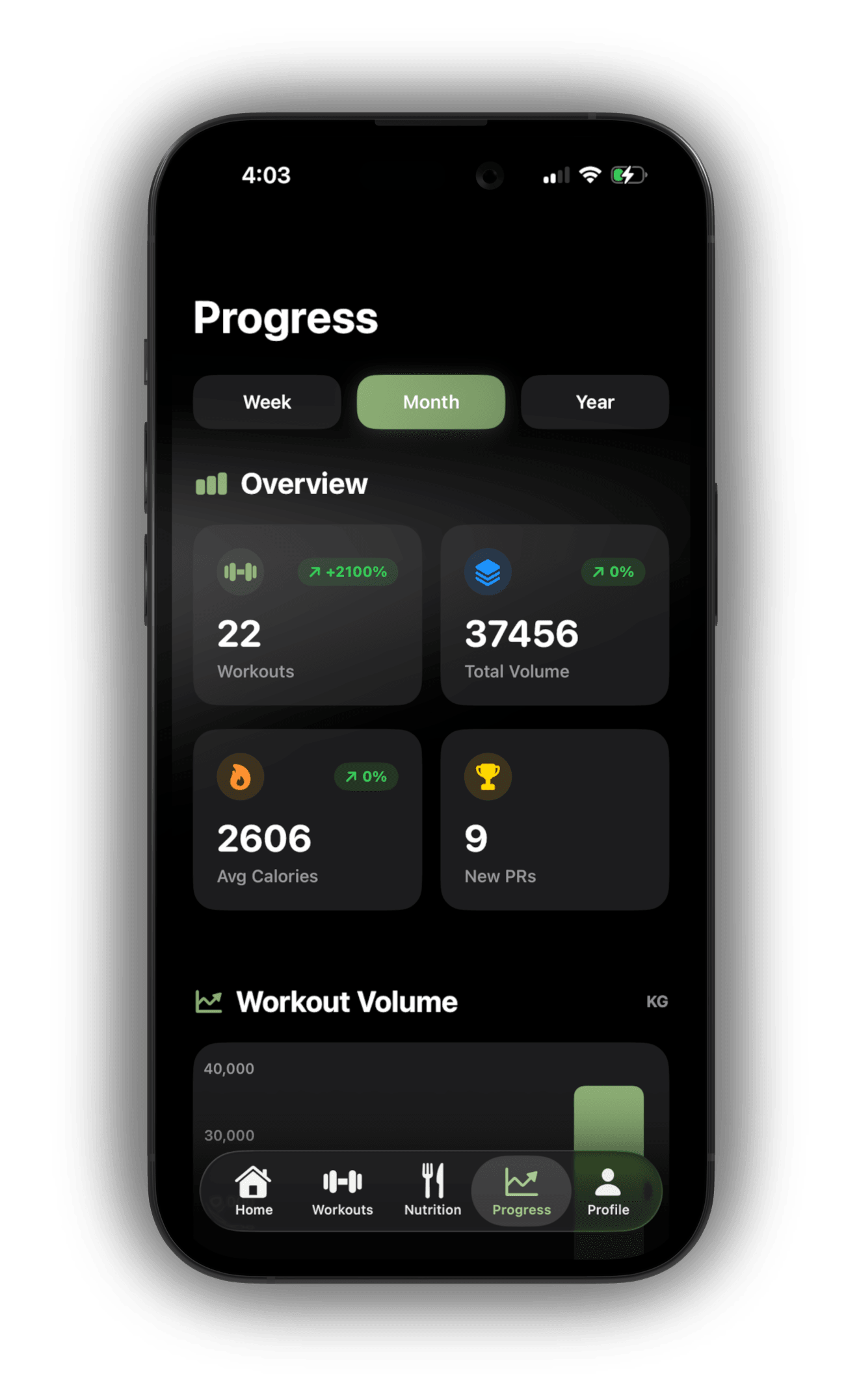
Progress
Monthly stats, volume, and personal records at a glance.
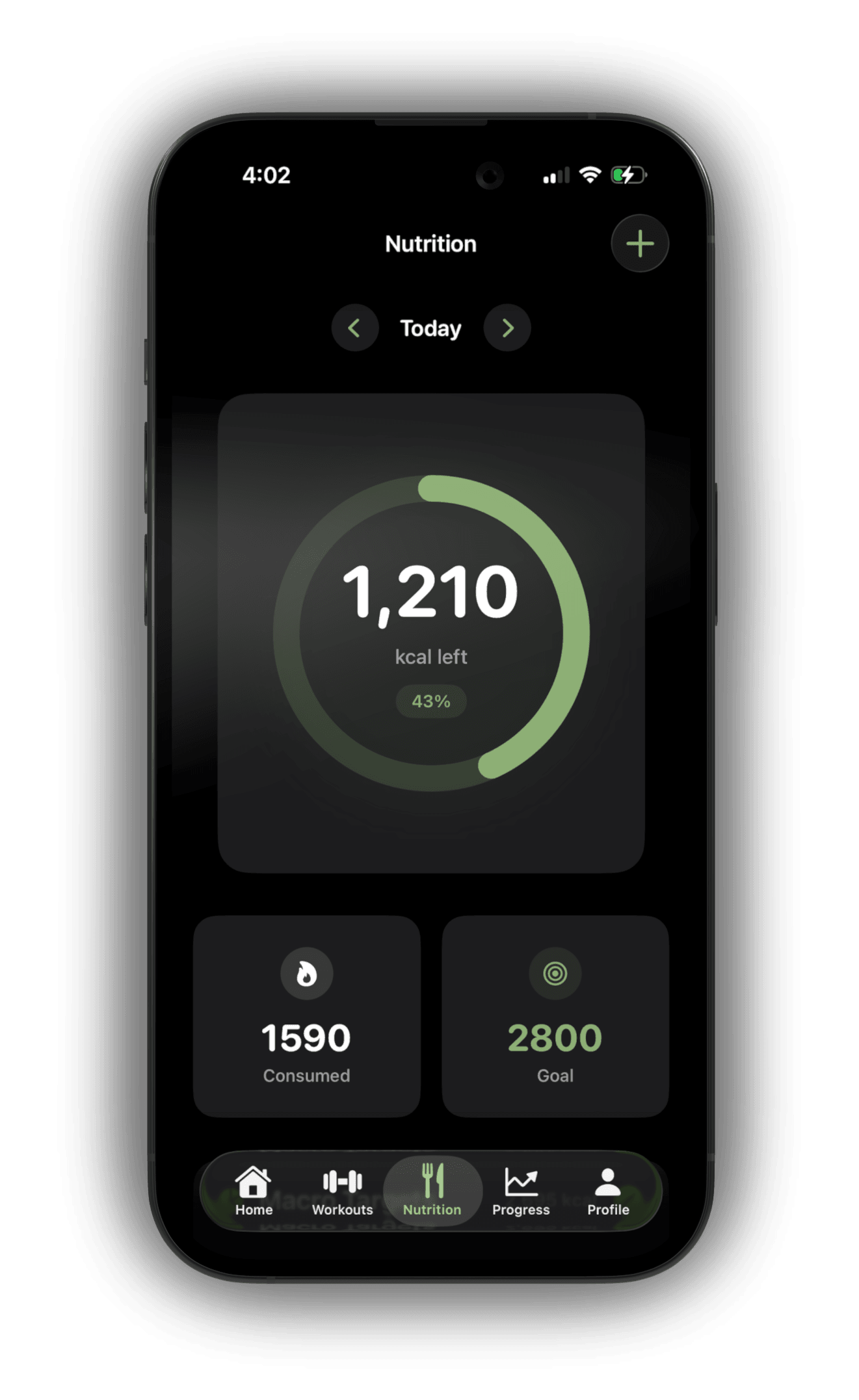
Nutrition
Calorie tracking, macros, and hydration in one view.
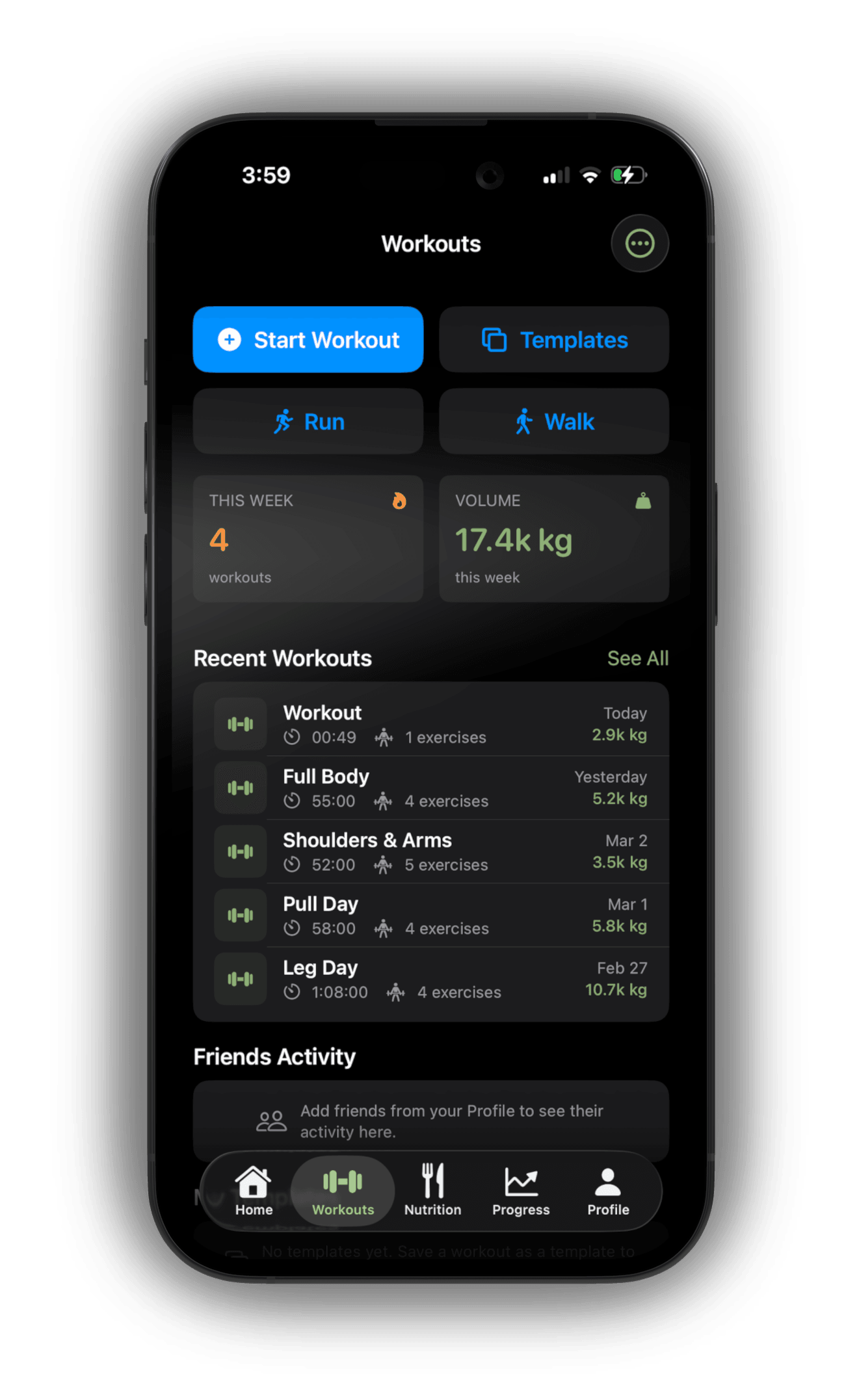
Workouts
Start workouts, browse templates, review recent activity.
Free
Core tracking to get started and build the habit.
Pro
· recommendedAI-powered nutrition tracking, ad-free, and everything ALIGNMENT can do.
Cancel anytime · No hidden fees · Billed monthly via App Store
Or pay with Bitcoin and save 30% →ALIGNMENT is offline-first. All your health, nutrition, and workout data saves locally on your device first, then syncs to the cloud when connected.
ALIGNMENT integrates deeply with Apple Health. Each permission is requested only when needed, and you control exactly what you share.
ALIGNMENT offers three AI-powered ways to log food:
All AI results include confidence indicators, are fully editable, and cross-referenced for accuracy.
Yes — and you'll save 30% versus the App Store price. Premium can be purchased with Bitcoin via the Lightning Network at usealignment.com/upgrade-btc.
Sign in with the same email and password you use in the iOS app, choose Monthly or Annual, and pay with any Lightning-compatible wallet. Premium activates automatically once the payment confirms — usually within a minute or two — and your iOS app picks it up the next time you open it.
It depends on how you purchased Premium:
Yes. A guided 6-step onboarding captures your body stats, activity level, and goal, then calculates personalized calorie and macro targets.
The 120+ exercise library includes difficulty indicators (beginner, intermediate, advanced) so you can find exercises that match your level. Whether you're tracking macros for the first time or you're a seasoned athlete, ALIGNMENT adapts to you.
Yes. ALIGNMENT works great with just an iPhone — including GPS run and walk tracking with live maps. Apple Watch integration enhances the experience by automatically importing workouts and enriching them with heart rate data, but every core feature is fully accessible on iPhone alone.
ALIGNMENT is available now on the App Store for iPhone. Search for "ALIGNMENT" or tap the download link on this page to get started for free.